Pro Deer Hunting – Big Game Trophy Hunter1.1
Publisher Description
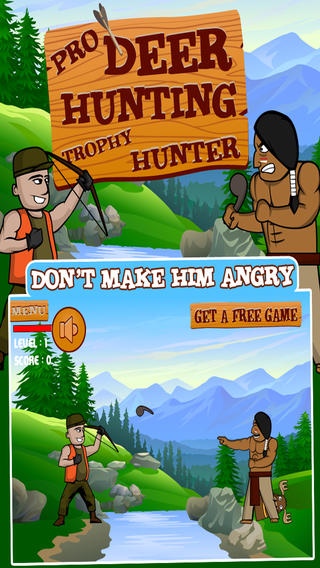
Pro Deer Hunting puts you right in the bush hunting big game only problem is you are not alone. Pro Deer Hunting will have you lying on the floor laughing the first time you play it! This is a classic case of mistaken identity redneck hunter style.
Aim your bow and arrow but be careful cause one missed shot and you will be lying on the ground wondering what happened and no one likes that especially while getting laughed at!
Pro Deer Hunting Big Game Trophy Hunter is destined to be a classic for young and old alike every big game hunter is after the trophy but never expects to become the trophy hunted.
- Classic Cartoon Animation
- Music That Will Have You Singing The Blues
- Hours Of Hunting Mishaps Fun
- Ready for use on iPhone, iPad and iPod.
- Challenge your friends to see who's the best!
DOWNLOAD TODAY FOR FREE >>> Pro Deer Hunting Big Game Trophy Hunter
Requires iOS 5.0 or later. Compatible with iPhone, iPad, and iPod touch.
About Pro Deer Hunting – Big Game Trophy Hunter
The company that develops Pro Deer Hunting – Big Game Trophy Hunter is Sean Demeyere. The latest version released by its developer is 1.1.
To install Pro Deer Hunting – Big Game Trophy Hunter on your iOS device, just click the green Continue To App button above to start the installation process. The app is listed on our website since 2013-07-25 and was downloaded 23 times. We have already checked if the download link is safe, however for your own protection we recommend that you scan the downloaded app with your antivirus. Your antivirus may detect the Pro Deer Hunting – Big Game Trophy Hunter as malware if the download link is broken.
How to install Pro Deer Hunting – Big Game Trophy Hunter on your iOS device:
- Click on the Continue To App button on our website. This will redirect you to the App Store.
- Once the Pro Deer Hunting – Big Game Trophy Hunter is shown in the iTunes listing of your iOS device, you can start its download and installation. Tap on the GET button to the right of the app to start downloading it.
- If you are not logged-in the iOS appstore app, you'll be prompted for your your Apple ID and/or password.
- After Pro Deer Hunting – Big Game Trophy Hunter is downloaded, you'll see an INSTALL button to the right. Tap on it to start the actual installation of the iOS app.
- Once installation is finished you can tap on the OPEN button to start it. Its icon will also be added to your device home screen.
